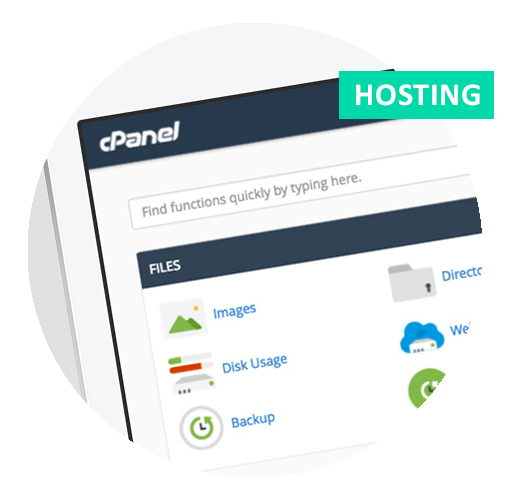
Your Site Statistics
Site statistics help you to monitor the success of your online
strategy. This web hosting plan includes a sophisticated statistics
package that allows you to track of and report on a whole
range of details about how your web site is being accessed
and answer questions such as:
When do people use your site?
How much time do people spend on the site?
From which pages do people enter your site?
From which pages do people leave your site?
Which browsers are people using to access your site?
Which other sites have links to your site?
What do users do on your site?
How many hits does the site count?
How many users does the site count?
Which section of the site is getting the
most use?
About Email
As email is the most widely used feature of the internet,
you would be wise to consider how you can best use the various
mail functions available to facilitate the level of communication
within and between your organisation and internet users visiting
your web site.
Your Web Server Email Features
You will be assigned 10 mailboxes. Each mailbox will store
mail and can be accessed via a mail program running on your
computer. The various email features are controlled through
the Mission Control panel.
Importance of Domain Names for Email
One of the main advantages of registering a domain name, is
that your email is independent of your local internet service
provider (ISP). Organisations without their own domain name
will find it difficult to change ISPs without also changing
email addresses.
Auto Forwarding
The auto forwarder feature allows you to forward all email
which arrives in your various mailboxes to a local service
provider. This allows you to collect all email sent to your
organisation from the one location, even when the mail is
sent under a number of different email addresses. If you change
ISPs in the future, you simply change the auto forwarder to
your new ISP.
Email Aliases
Each Creative Mode mailbox allows you to configure one main
name and up to four aliases or extra names that deliver email
to the same mailbox (e.g. one mailbox might have the names
john@acme.com.au, john.smith@acme.com.au, marketing@acme.com.au,
marketing.manager@acme.com.au and marketing.department@acme.com.au).
This feature allows you to create multiple email addresses
for the same organisational function, and to quickly change
or add email addresses as your staff and functions grow.
Auto Responder
An auto responder will detect all incoming email it is linked
to and will generate an automatic email response to the sender.
Many companies set up auto responders to offer information
about their products and services when people click links
on their web sites. Another good example of the use of auto
responders is for individuals (e.g. if John Smith from Acme
goes on holidays, he can set an auto response to all incoming
email notifying the sender that he is on holidays and when
he expects to return).
Accessing Your Email
No matter where you travel in the world, as long as you can
connect to the internet you can collect your email using a
standard email program. The Mission Control panel will provide
you with all the settings that you will need to configure
your email application.

|